Domains
Route hostnames and paths to your app.
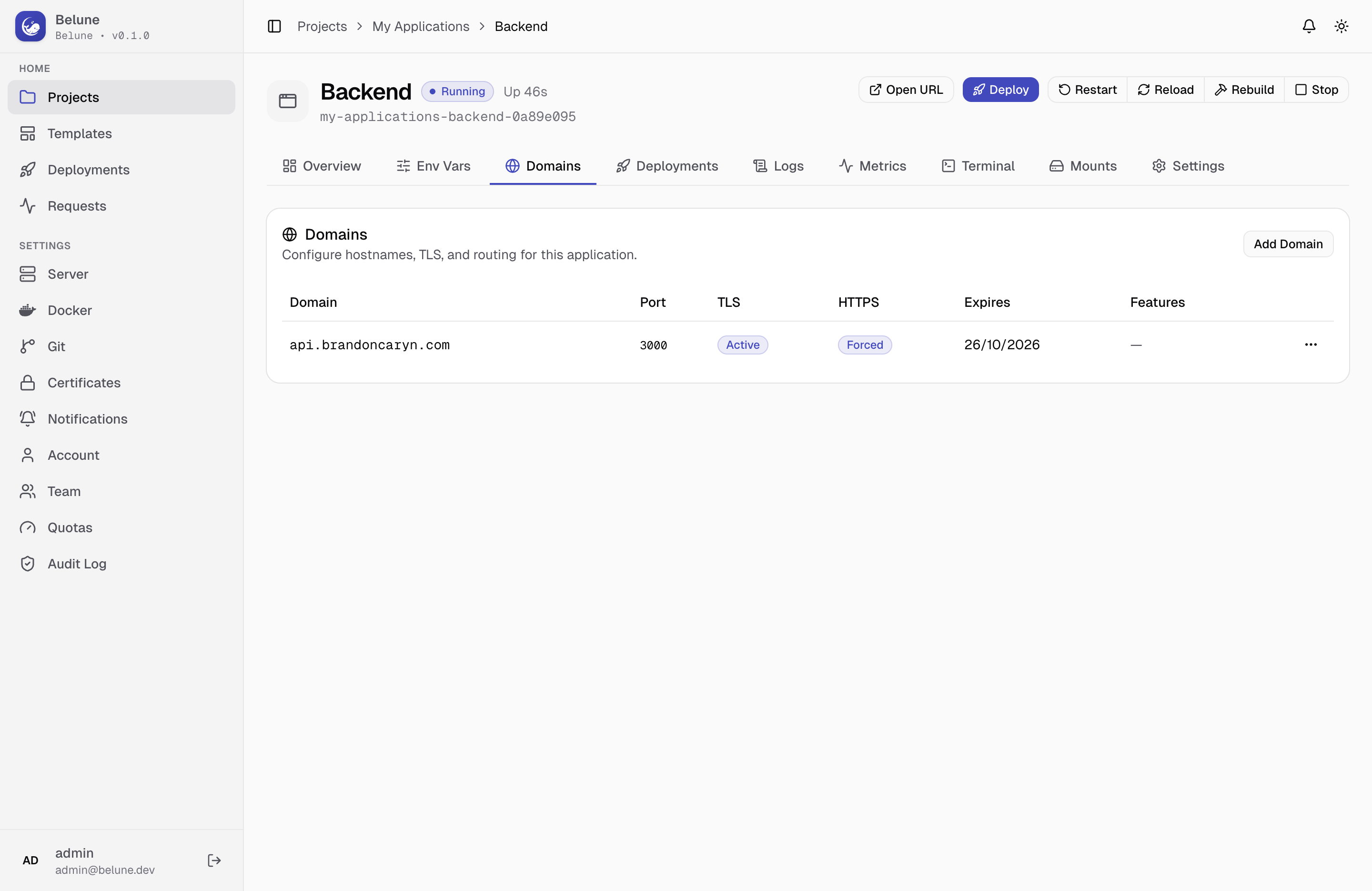
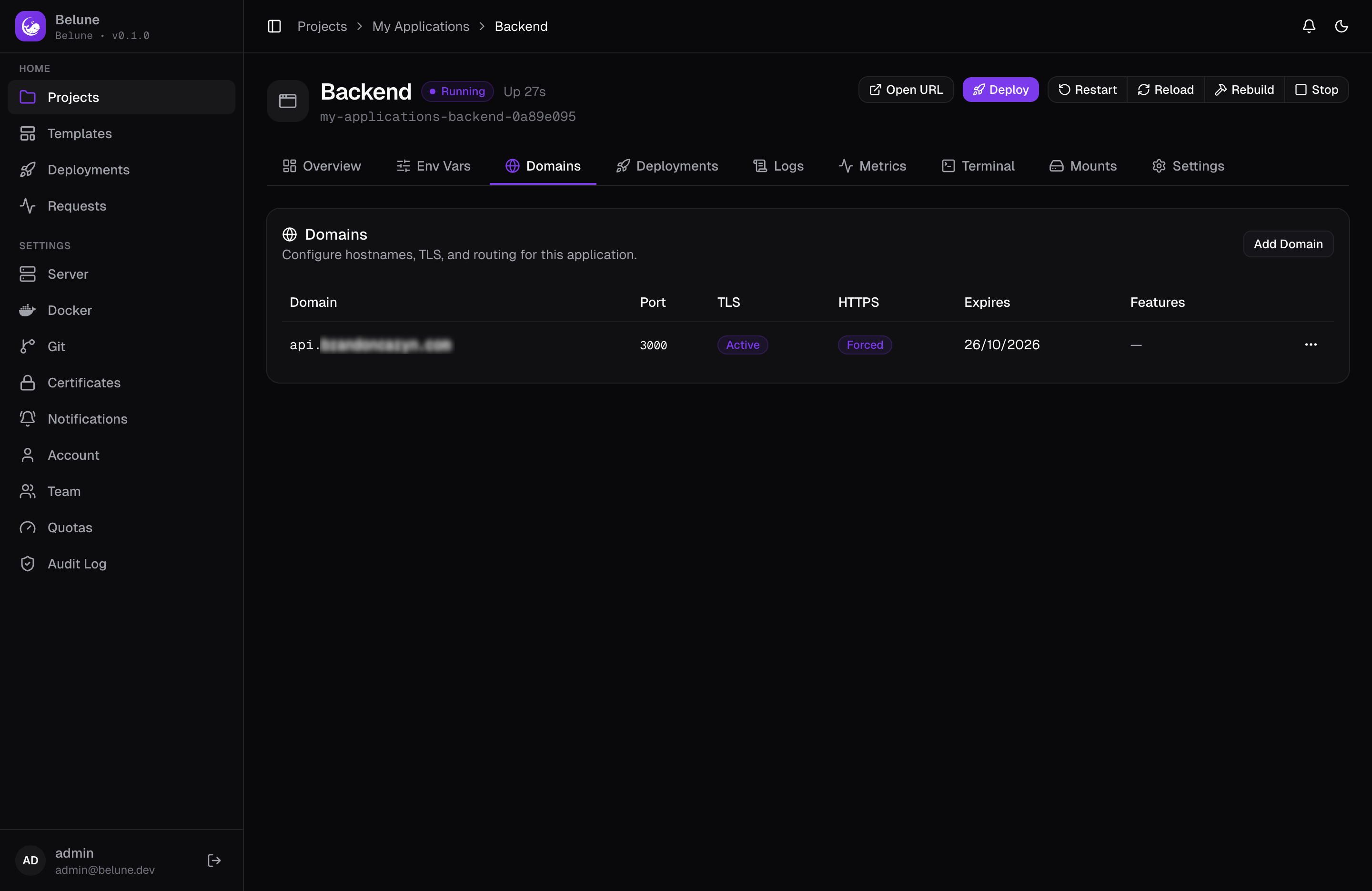
Apply hostnames to an application and Belune configures Caddy for you, including a target container port, path-based routing, and per-domain TLS mode.
Prerequisites
Before adding a domain for the application, add an A or AAAA record on the DNS resolver, pointing to the server's IP. The server's IP should be the same address shown on Server → Configuration.
Add a Domain
Add Domain opens a two-tab dialog.
- Routing tab — has the hostname, an optional path prefix (leave blank to serve the whole hostname, or set
/apito share one hostname across several apps), and an optional container-port override — the port this domain routes to inside the container. When left blank it follows the application's own Container Port setting on the Health Check card, and falls back to 8080 if that isn't set either. - TLS tab — holds the SSL mode and the Force HTTPS toggle, which redirects plain HTTP requests for this domain.
About the SSL Modes
- Automatic — Caddy obtains a free Let's Encrypt certificate over ACME and renews it on its own. The normal choice when the domain resolves to this server and ports 80/443 are open.
- Custom — Belune serves a certificate you've uploaded under Settings → Certificates. Use it behind Cloudflare with an Origin CA cert, for a wildcard, or when your organization issues its own.
- Off — plain HTTP only, and no certificate is requested. For internal-only hostnames, or when TLS is terminated in front of Belune.
Force HTTPS is unavailable when TLS is off, for the obvious reason: there's nothing to redirect to.
- DNS Challenge — Caddy proves ownership by creating a DNS record through a provider you've configured under Settings → Certificates → DNS Providers, instead of answering over HTTP. It is the only mode that can issue a wildcard (
*.example.com), and it works for a domain behind Cloudflare's proxy, where the HTTP challenge can never succeed. Administrators only, and it needs the Belune Caddy image; see Certificates.
Routing Hostnames to Different Ports
Each domain routes to its own port, so one application that listens on two ports can serve a different hostname on each. Say an app serves its public site on 3000 and an admin interface on 3001:
user.example.comhas a container port of3000.admin.example.comhas a container port of3001.
Both routes work as soon as the domains are added. What needs a decision is the health check, which has to settle on a single port for the whole app. With no Container Port set on the application, it probes the port of the most recently added domain that sets one. Add admin.example.com second and the deploy probes 3001, and fails if the admin interface doesn't serve the health path. Add them in the other order and the same configuration probes 3000 and passes.
Set the application's Container Port to 3000 and the probe stays on 3000 whatever order the domains were added in, while each domain still routes to its own port. The Health Check card shows the port the probe will use, and the domains table shows each hostname's own.
Path-Based Routing
Three fields work together to reshape a request before your app sees it:
- A path prefix a domain answers on
- An internal path prepended afterward
- Strip that prefix before forwarding
Stripping matters when your app doesn't know it's mounted under a prefix, and an internal path matters the other way. Both are optional, and most domains need neither.
Route Features
Beyond routing and TLS, a domain can carry Route Features — Caddy middleware applied to just that domain:
- Basic Auth — gate the domain behind an HTTP username and password. Send a
passwordand Belune hashes it with bcrypt before storing it, so the stored feature, and every read of it, shows only the hash (hashed_password) and never the password. A password can be at most 72 bytes, bcrypt's limit. If you already have a bcrypt hash, sendhashed_passwordinstead and it is kept exactly as you give it, never hashed again (caddy hash-passwordmakes one, for exampledocker run --rm -it caddy:2-alpine caddy hash-password). If you send both, thepasswordis used. The example the dialog fills in is empty on purpose, and is refused until you fill in a username and a password. - Custom Headers — set request and/or response headers on traffic through this domain.
- IP Allowlist — permit only the CIDR ranges you list; every other client gets a
403. - Redirect — send matching requests on to another URL.
- Rate Limit — cap how many requests one client may make in a window. Configured as
{"window":"1s","max_events":10}: at most 10 requests per second from each client IP, and the 11th gets a429with aRetry-Afterheader.max_eventsmust be at least 1 andwindowbetween one second and one hour.
About Basic Auth
- Choose a strong password. Belune does not enforce a minimum length, so the gate is only as good as the password behind it.
- Pair it with Rate Limit. Caddy checks every request that carries credentials against the bcrypt hash, and a wrong guess costs it about as much CPU as a right one. A Basic Auth route with no Rate Limit is cheap to exhaust, so add a Rate Limit to the same domain to cap how fast anyone can try.
About Rate Limiting
- The limit is per client IP and per domain path. Two domains each set to
10per second don't share a budget, and neither do two paths on the same host. - It needs the
http.handlers.rate_limitCaddy module. The default Caddy image has it; on stockcaddy:2-alpinethe feature shows as Not active in the dashboard instead of failing, and the domain keeps serving without it. See Caddy. - Editing the domain, or any of its route features, rebuilds its route and resets every client's count. Clients who were at the limit can send again straight away.
- Behind another proxy or CDN, the client IP Caddy sees is that proxy's, so every visitor shares one budget.
- Rate limiting was accepted in 0.1.0 through 0.1.2 and refused from 0.1.3 until 0.2.0, in a different format (
rateandburst). A row saved from that era is still stored but does nothing, and is shown as Not active with a note to remove it and add it again in the format above.
These live in their own dialog off the domain's actions menu. See Caddy's directives documentation for the underlying behavior of each.
Troubleshooting
A domain stuck on anything other than HTTPS active almost always traces back to DNS or reachability. See Certificates for what each status actually means and the specific fixes for the common failure reasons.