Deployments
The process of build, redeploy, roll back, and reload.
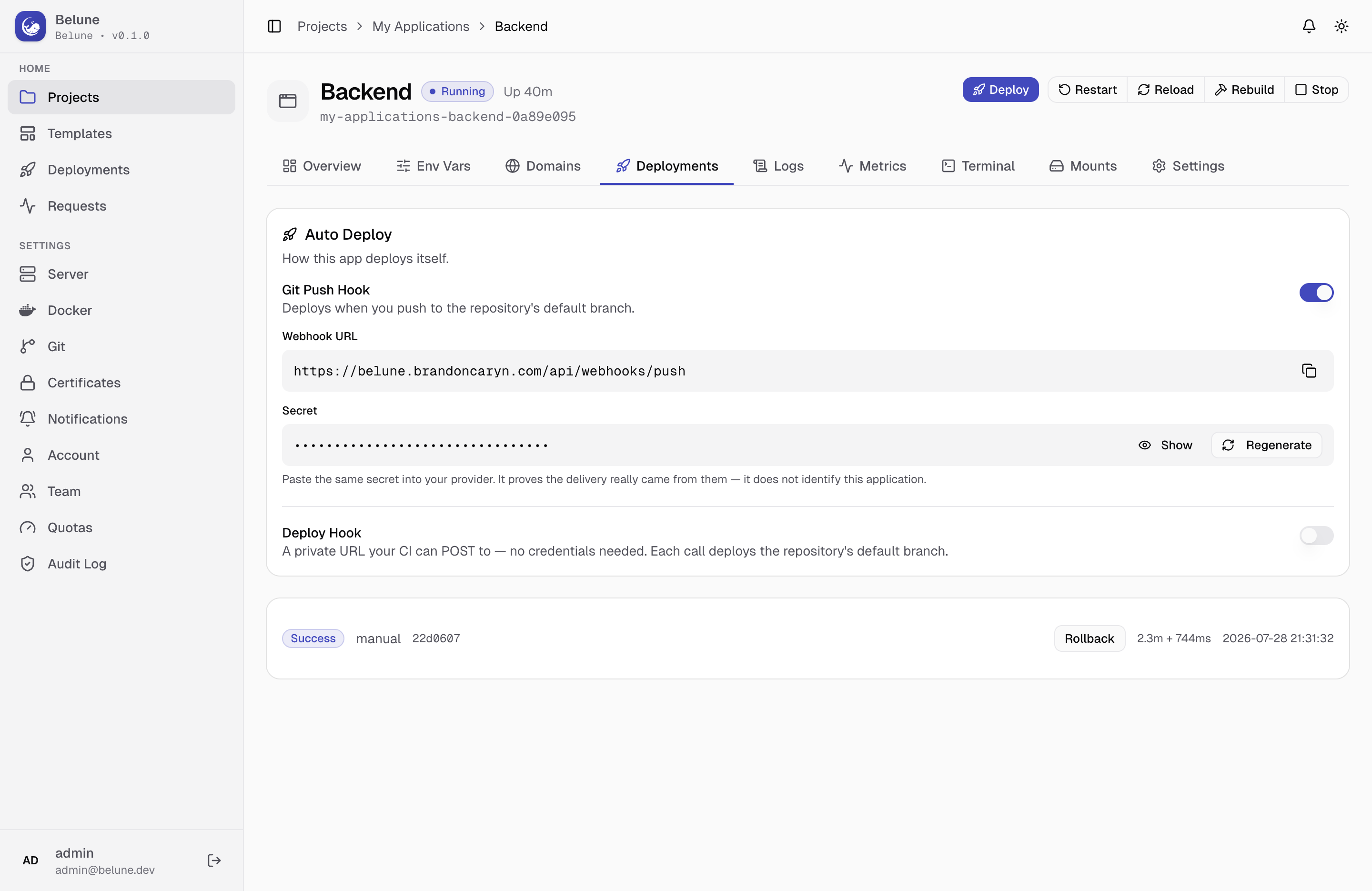
Every build produces a deployment and you can:
- Deploy on demand or with hooks
- Rebuild the exact commit that's live
- Roll back to a previous image
The Deployment Lifecycle
A deployment moves through:
pending → building → deploying → success (or failed at any step). Building and deploying are timed separately; each deployment card shows both durations (build + deploy) once finished, not just a single total, so a slow deploy phase doesn't hide behind a fast build or vice versa.
Every deployment keeps its own commit (for Git apps), the account that triggered it, and its full log, browsable from the Deployments tab long after it finished.
Deploy Triggers
Three independent ways to start a deployment, configured from the Auto Deploy card at the top of the Deployments tab:
- Manual — the Deploy button in the application header, any time.
- Git Push Hook — (Git apps only) Enabling it mints a webhook secret; your provider POSTs on every push, Belune verifies the signature, and a push to the tracked branch deploys. The branch itself is set on the Settings tab — one field controls both what gets built and what's watched, so they can't drift apart.
- Deploy Hook — a tokenized URL any CI system can POST to, with no credentials. Works for image apps too, which have no push to react to. For a git app, a deploy-hook call always builds the repository's default branch — it does not read the tracked auto-deploy branch, since that setting only filters push webhooks, not this path. For an image app, it re-pulls the configured image and redeploys.
A Git application can have both the push hook and a deploy hook active at once — they're complements, not alternatives.
Rebuild, Reload, Restart
Three lifecycle actions sit beside Deploy in the application header, and they are not interchangeable:
- Reload — recreates the container from the current image, no rebuild. It exists to pick up config changes (volumes, file mounts, env vars, resource limits) fast. Any application type.
- Rebuild — (Git apps only) re-runs the build for the commit that's currently deployed (not the branch's latest), then redeploys. It exists to pick up a patched base image or refreshed dependencies without shipping new code.
- Restart — just restarts the existing container process, no new image, no config re-read. Only available while the application is already running.
Roll Back
Any deployment that finished success and still has an image tag gets a Rollback button. It creates a new deployment that redeploys that exact stored image — not a rebuild, so it's fast and reproducible.
This is the same mechanism prebuilt-image digest pinning exists for, see Builders.